We’ve spent a fair amount of time with the first two generations of Razer Blade, and honestly really enjoyed most of it. The original Blade released as a highly ambitious 17” Sandy Bridge gaming notebook from a company that previously had no history in the PC space. While the design was very polished, it had issues with performance, thermals, driver stability, and above all, price. The second generation Blade released with Ivy Bridge and improved on all of its predecessor’s issues - far more compute and GPU horsepower, a refined cooling design, and it was a good bit cheaper, to boot. Now, with Haswell right around the corner, we have the third generation of Blade. And this time, there are two of them.
The 17” is still around, now known as the Blade Pro, but the big news here is the new $1799 14” Razer Blade. It’s a 0.66” thick notebook with a quad-core i7 Haswell mobile processor and
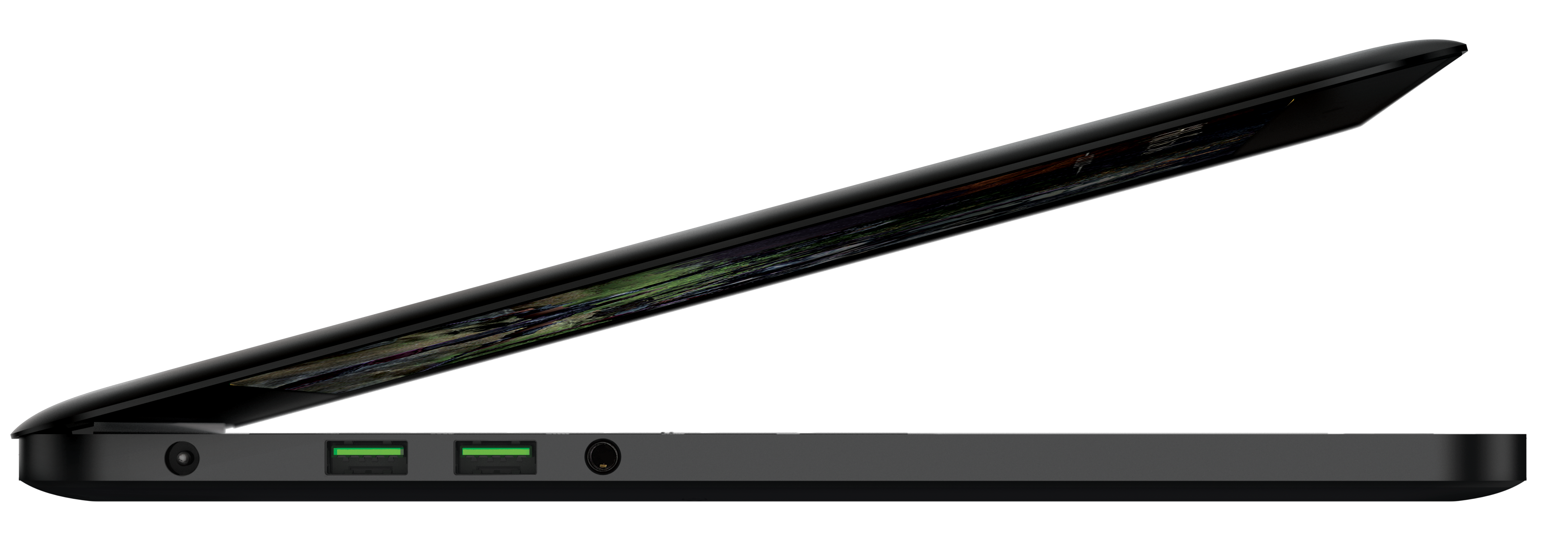
NVIDIA’s new GTX 765M graphics with 2GB of GDDR5 video memory, along with an mSATA SSD and 8GB of DDR3L-1600 memory. It’s a little bit smaller than the 15” retina MacBook Pro in all dimensions - 13.58 x 9.25 x 0.66” versus 14.13 x 9.73 x 0.71” - and takes a healthy amount of design inspiration from the latest Apple portable. Given the form factor and weight (4.1 pounds), the Blade 14” has a staggering amount of compute on board.

The CPU is one with GT2 (HD4600) graphics, which makes sense given that there’s little incentive to ship a SKU with a better on-die GPU with the presence of a powerful dedicated graphics card.
Dustin is covering the GTX 700M launch, but it’s worth going over GTX 765M quickly: it’s still 28nm Kepler, a cut-down version of GK106 with four SMXs active instead of five for a total of 768 CUDA cores, a 128-bit memory bus, and support for GPU boost. It’s basically the same as GTX 760M except with a higher base clock of 850 MHz instead of 657 MHz; both 760M and 765M have a 2 GHz memory clock. This would seem to bring back a level of differentiation between the GT and GTX designations in the GeForce lineup. GT 750M is also GK106-based, but with only two SMXs active, it definitely has a lot less horsepower than GTX 760M and 765M. (Some GT 750Ms will be based on GK107, but that’s a different story entirely.) GTX 660M (in the 2nd gen Blade) was really just an overclocked GT 650M GDDR5, and some, including your humble narrator, felt that the performance wasn’t elevated enough to merit the GTX name. There shouldn’t be any such issues this time around.
Other specs include dual-band WiFi courtesy of Qualcomm, a 70Wh battery (claimed 6 hours of runtime), usual Razer goodies like a backlit, fully anti-ghosted Synapse 2.0-enabled keyboard, a Synaptics touchpad with real, physical mouse buttons, 3 x USB 3.0 ports, HD 720p webcam, and a 14.0” 1600x900 TN display. This is the only thing on paper that really stands out to me as an issue - no thin and light notebook shipping at this price point should come with a non-IPS, non-1080p display. I don’t think response time is enough of an issue to merit not shipping a wide-angle display. ASUS has been shipping 11” and 13” notebooks for $1000 or less with 1080p matte IPS displays, so has Vizio, amongst others. It’s a big miss. I’m not going to judge panel quality until I’ve seen it (assuming it will be as good as the TN panel of the 17” Blade/Pro), but I still don’t like the choice of display on paper.
The other issue I have is that the base $1799 model ships with just 128GB of disk space - solid state drives are cheap enough at this point that it shouldn’t be an issue to ship a 256GB drive standard in a computer at this price point, especially when you consider the size of game installs these days. Razer charges $150 to go from 128GB to 256GB on the Edge Pro, so I’d expect something similar for the upgrade pricing here as well. A 512GB SKU will be available as well.

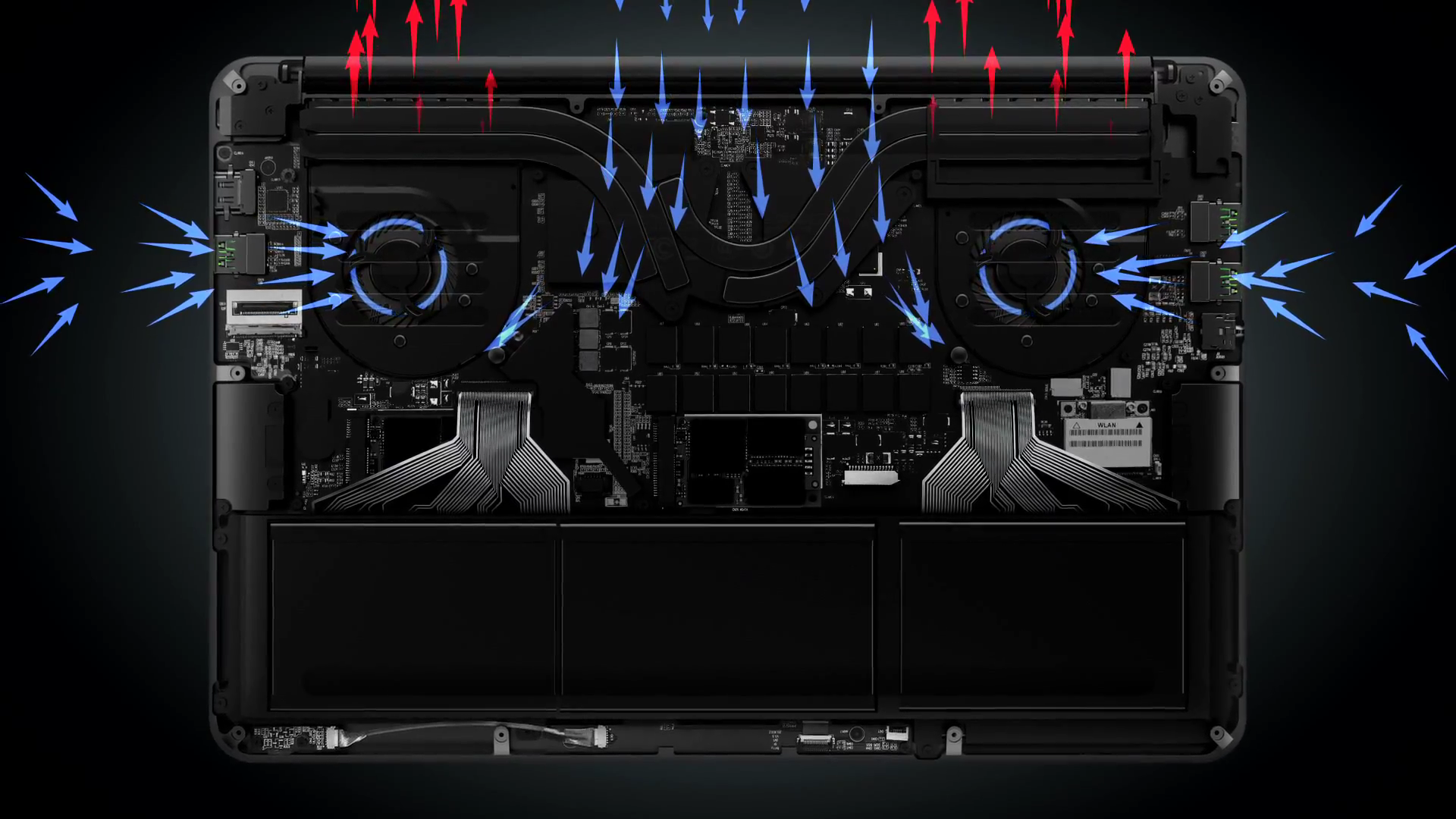
If you’re counting, that’s a 37W CPU and a 50-60W GPU, so very quickly we see that the power envelope of the 14” Blade is a lot higher than what we’re used to seeing in this size class. The design challenges that come with a 100+ watt TDP in an ultrathin chassis will be interesting to see - we know that the bottom is pretty well vented, with an additional intake and exhausts hidden the hinge as well, but I don’t see the Blade running particularly cool in loaded situations without some thermal engineering fairy dust. What it does have, in spades: insanity. I’ve talked about this before in some of my reviews, but I think it’s something that the computer industry has lost a bit of recently. We just don’t see these ridiculously ambitious thermal envelopes anymore. Laptops like Alienware’s original mid-2007 M15X (C2D/C2X and Nvidia’s 8800M GTX in a 15.4” notebook) and the ASUS A8Js (C2D/GeForce Go 7700, 14”, 5.3lbs), amongst others - they don’t come around very often these days (exceptions: Clevo’s W110ER and the rMBP15). The era of performance thin and lights seems to have mostly ended at the hands of the ultrabook, and there aren’t too many performance ultrabooks out there. So, as to me at least, this Blade is an incredibly exciting system simply for the amount of power it harnesses in a system of this size.
The 17” Blade Pro specsheet reads really similarly - the Haswell quad (a 47W part this time), GTX 765M at the same clock speeds as the smaller Blade, 8GB of DDR3L-1600, and 128/256/512GB SSD options are all here, this time with a 17.3” 1080p display and the now-familiar Switchblade UI. It retains the aluminum chassis from the second generation Blade, which was basically just an internally reworked version of the original Blade shell - the industrial design, which I very much enjoyed the last two times, is back for another go around. The display is likely to be the same AUO TN panel from last time as well; it was good enough in the previous Blades but I would still like to see some kind of wide-angle panel technology used.
Price has dropped to $2299, though that’s for a model with just 128GB of storage. Oddly, the mSATA SSD is the only storage device mentioned in the press release, so I’m not sure what is located in the 2.5” bay (the 2nd generation Blade had 2.5” 7200RPM hard drive paired with a large 64GB mSATA cache, while the original shipped with a 2.5” 256GB SSD). Razer’s specsheet claims a slight weight reduction to 6.58 pounds, but otherwise it’s dimensionally identical to the Blade R2.

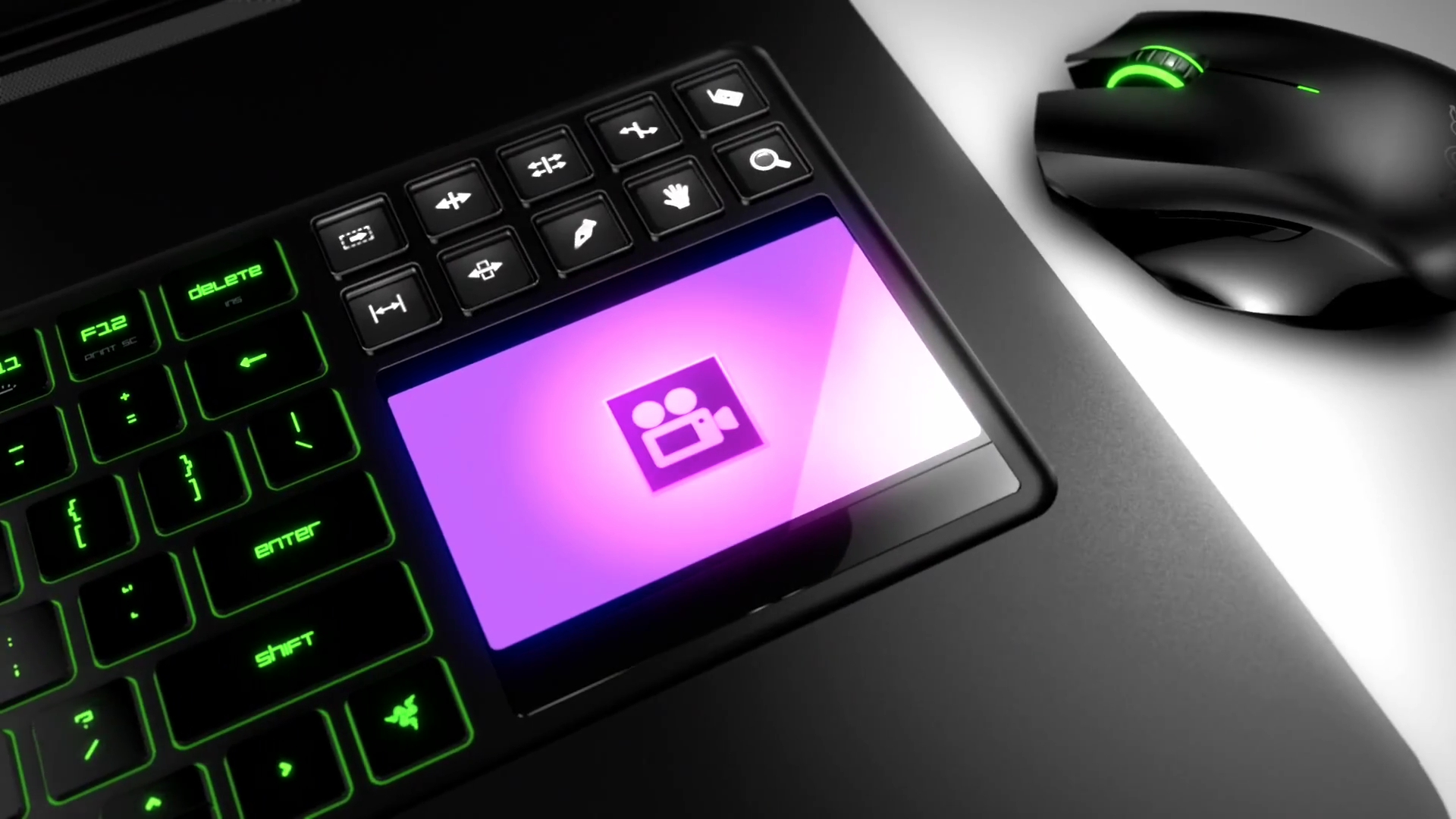
Based on the marketing materials and videos provided, it seems like the intended market for the 17” Blade Pro has shifted towards creative professionals – game designers, filmmakers and video producers, graphic artists, even musicians. The change makes sense, given the similarities the Blade Pro has to another favorite of creative professionals, the dearly departed 17” MacBook Pro. Razer has also added Switchblade apps for Photoshop, Premiere, Maya, GIMP, and other popular photo, video, and audio creation programs to leverage the unique abilities of the SBUI panel. In the Blade Pro introduction video, you can see members of the alt rock band Fall Out Boy, YouTube comedian Freddie Wong, and other professionals from the entertainment industry talking about the Blade Pro in compute-heavy working environments. It’s certainly interesting, and Razer is pushing it further by offering the Blade Pro at a discount to design students, game developers, and other professionals in the various digital arts fields through their creative professional pricing program.
Both Blades are slated to go on sale in Q2, so they’ll probably be available sometime in the next few weeks. We’ll be going hands on with both the new Blade and the Blade Pro shortly, and will update with impressions after that.